Arnold's icon: an H drawn as a git graph

F# A language server in every diff

Review your agent's F#
with the compiler at your side.

Arnold is a desktop app for the work AI agents leave behind. Every diff is a real F# editor — errors, hover, go to definition, rename, quick fixes and Fantomas — while you commit the agent's changes line by line, review the branch and see its Azure DevOps pull request through to completion.

Free and open source (MIT)..msi ·All releases

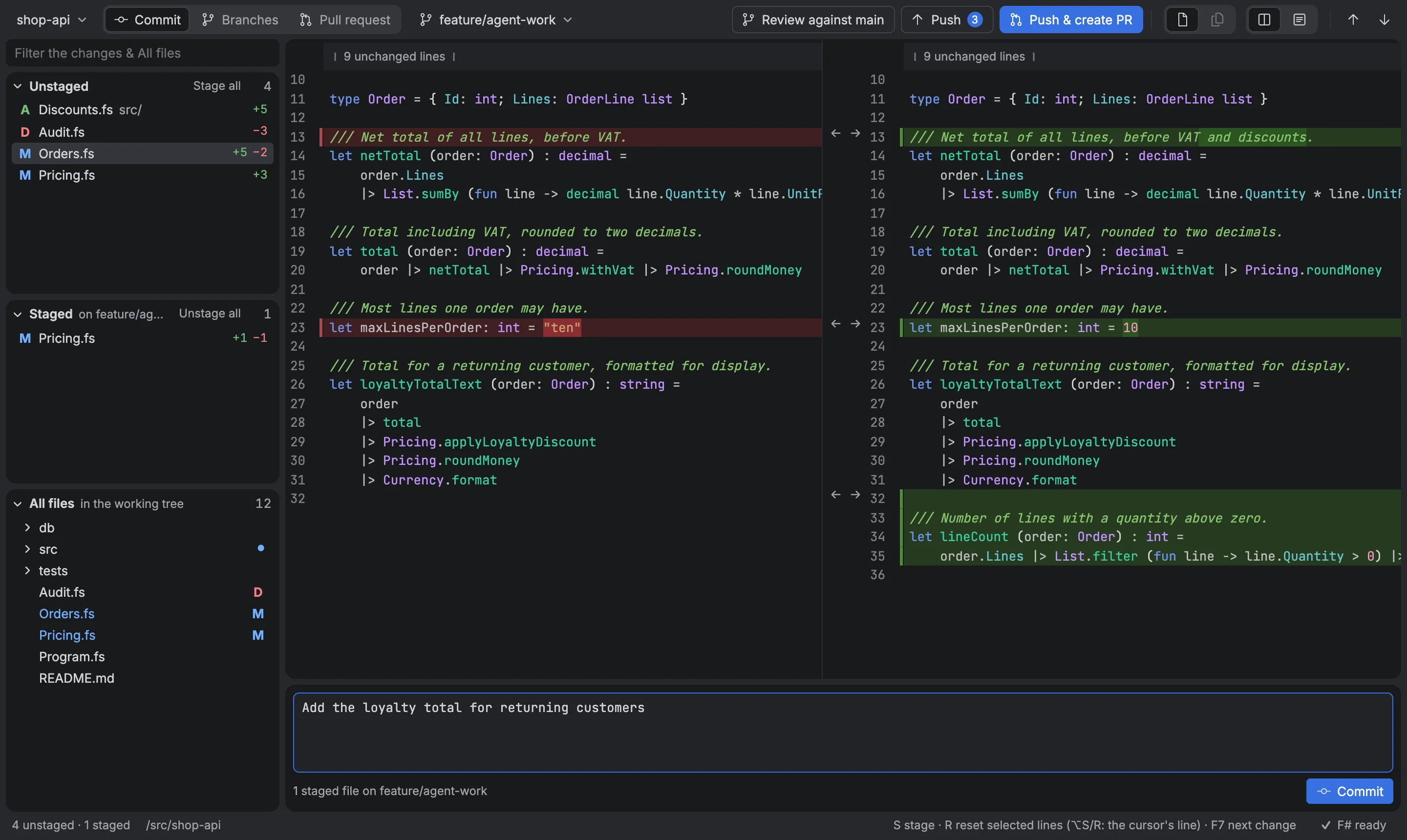
Arnold in Commit mode: the Unstaged and Staged lists, a side-by-side diff of an F# file with an agent's fix, the commit message, and Review against main, Push and Push & create PR in the toolbar

F#, first class

A review tool that understands your code

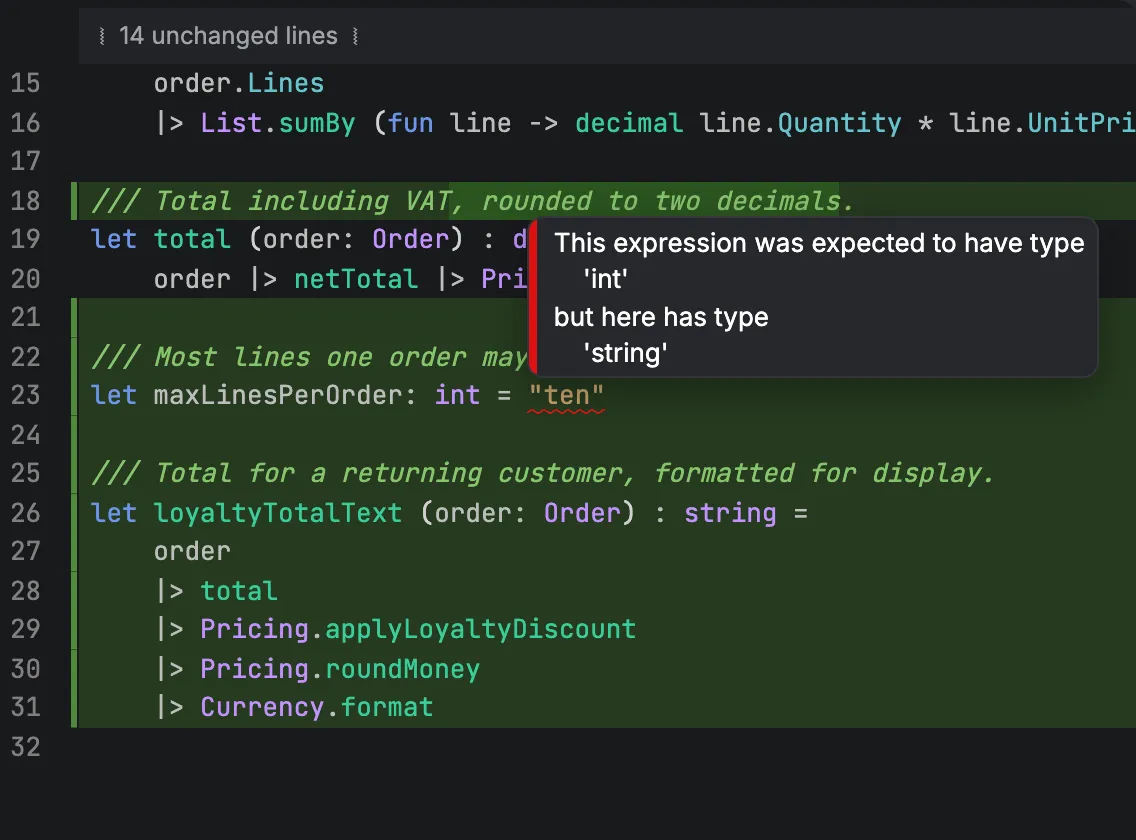
Most diff viewers show F# as colored text. Arnold runsFsAutoComplete, the language server behind Ionide, in every diff — in Commit mode, in a branch review and in a pull request. A type error the agent left behind is underlined before you read the line, and you can fix it right there.

A type error in the diff: hovering shows the expression was expected to have type int but has type string

Zero setup

Open a repository. F# just works.

Nothing to install but the .NET SDK. The first time an F# file shows up, Arnold downloads FsAutoComplete from nuget.org, checks it against NuGet's SHA-512 hash and starts it; after that it looks for a newer release once a day. Your global.json picks the SDK.

Branches and pull requests get a real checkout (a worktree of their own when they need one), so the language server sees your projects as they are: Arnold restores tools and Paket or NuGet packages when needed, builds the C# projects your F# projects reference, and prepares Elmish Land apps. The status bar shows how far it has come, with the build log of any project that failed — and the review never waits for it.
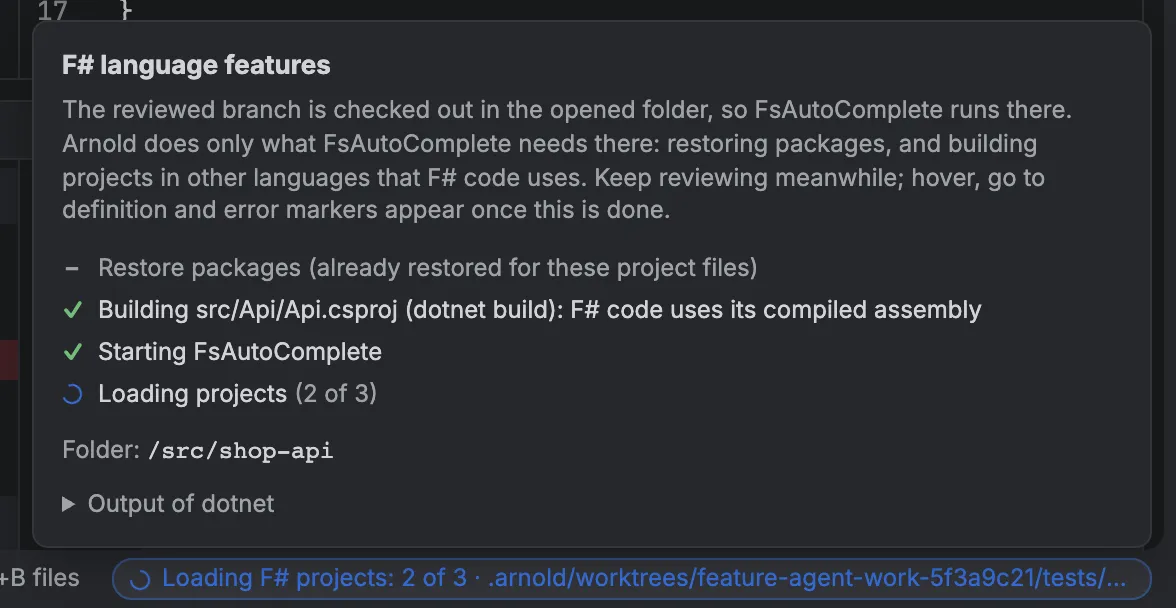
The F# language features popup: restoring, building, starting FsAutoComplete and loading projects

The whole way, in one window

  1. 1

    Commit

    Go through what the agent left uncommitted and fix it in the diff, with F# errors and quick fixes as you type. Fantomas checks the formatting.

  2. 2

    Review

    See the branch as its pull request will show it, with hover, go to definition and find references in every F# file.

  3. 3

    Push

    One button, with the number of commits it sends. Never forced.

  4. 4

    Open the PR

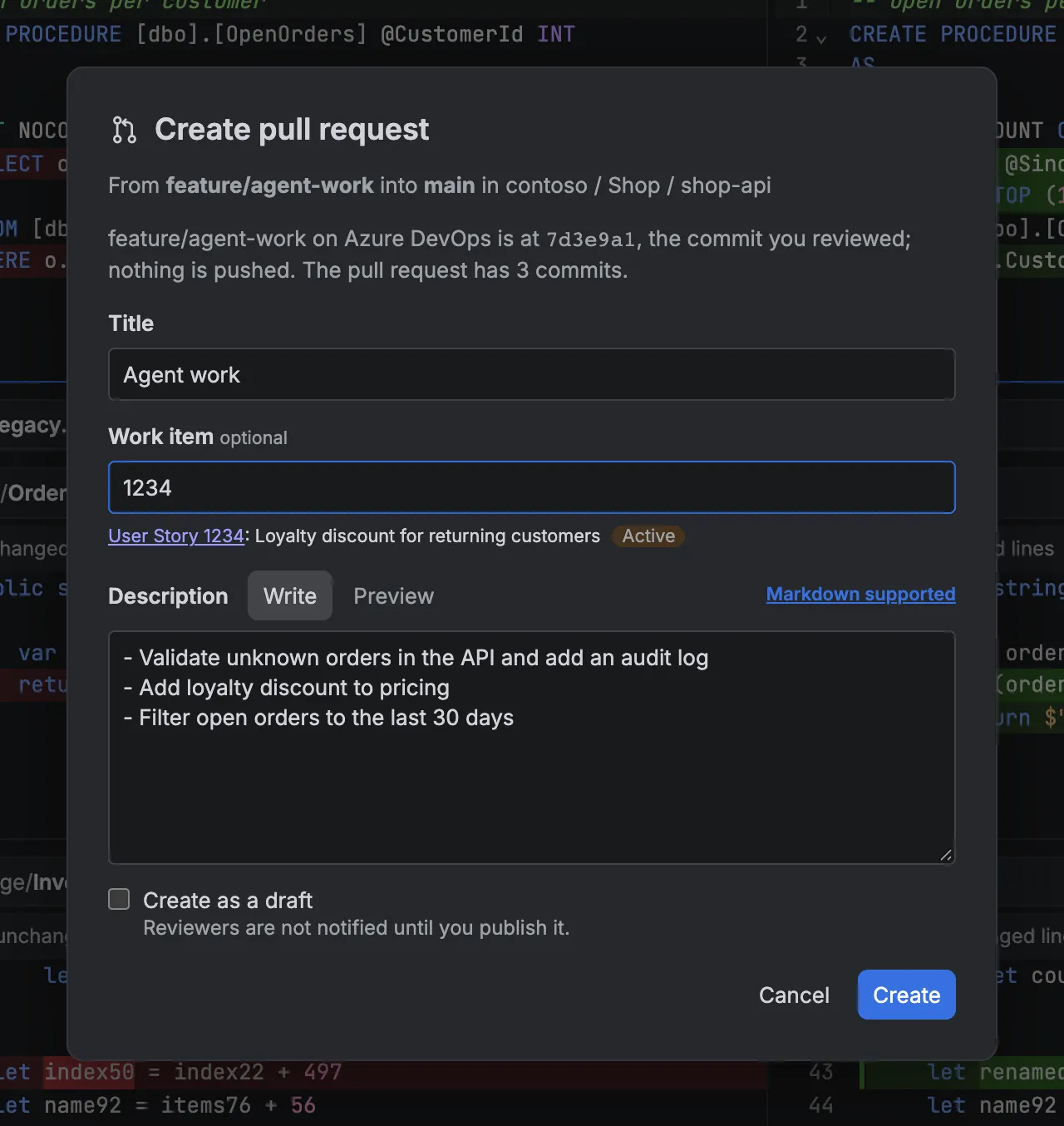
    Title, Markdown description, draft or not, and a linked work item.

  5. 5

    Review the PR

    Discussions in the diff. Fix things with F# quick fixes and rename, and post them as suggestions.

Commit

Line by line, like Git Extensions

An agent's uncommitted changes land in Unstaged and Staged lists. Fix things right in the diff, with completion, quick fixes and errors that update as you type, then press S,U or R to stage, unstage or reset whole files or just the selected lines.

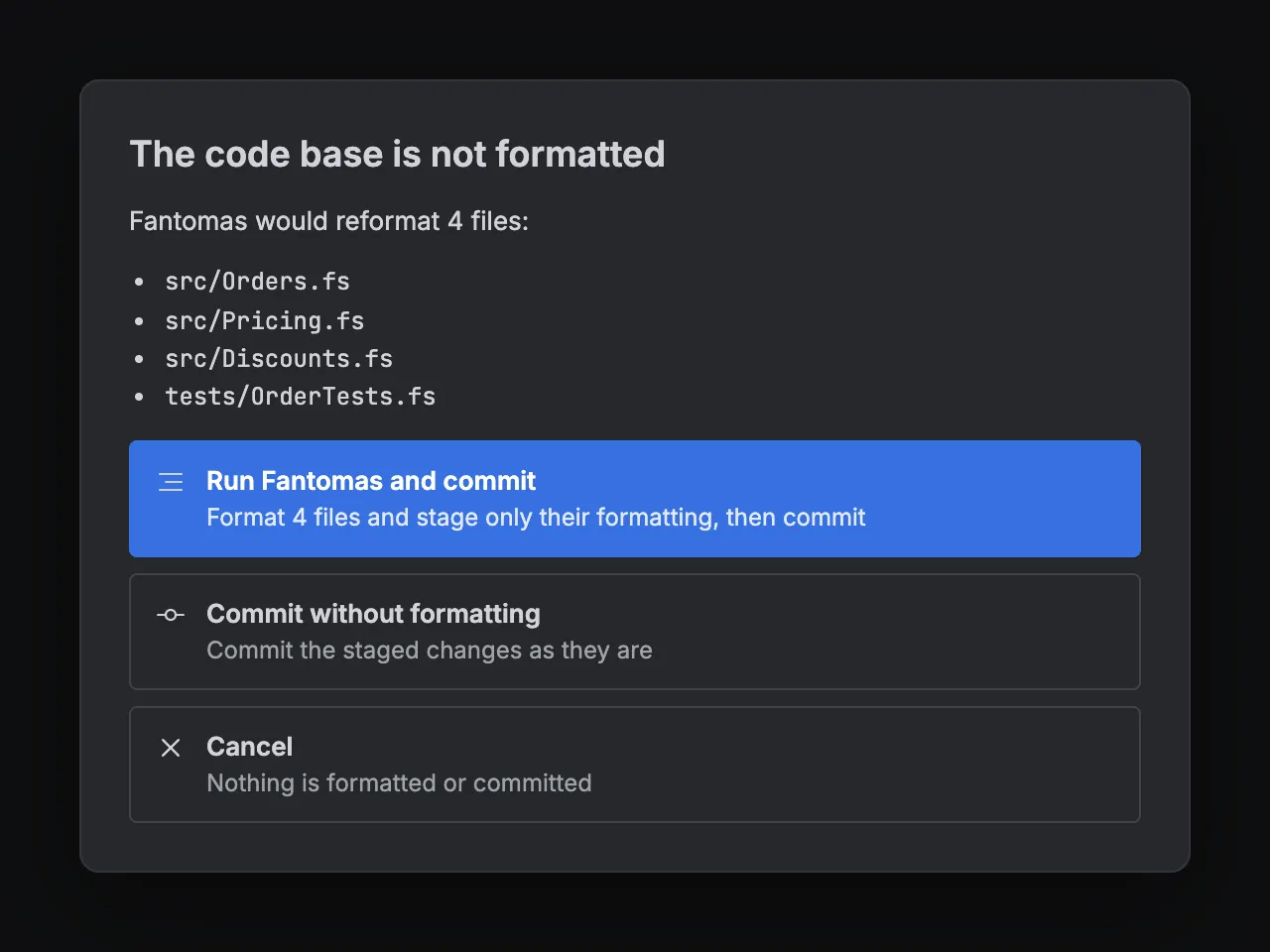
When the repository uses Fantomas, committing checks the formatting first. Arnold formats only what you staged, so unstaged work stays as it is. Works on any worktree, including an agent's .claude/worktrees/….

Committing in a repository that uses Fantomas: four files would be reformatted; Run Fantomas and commit, Commit without formatting, or Cancel

Compare branches

Review the branch as its pull request will show it

Merge-base to the branch's last commit, one file at a time or every file in one scrolling list.F7 steps from change to change across files, changed words are marked red and green, and small edits far apart stay small.

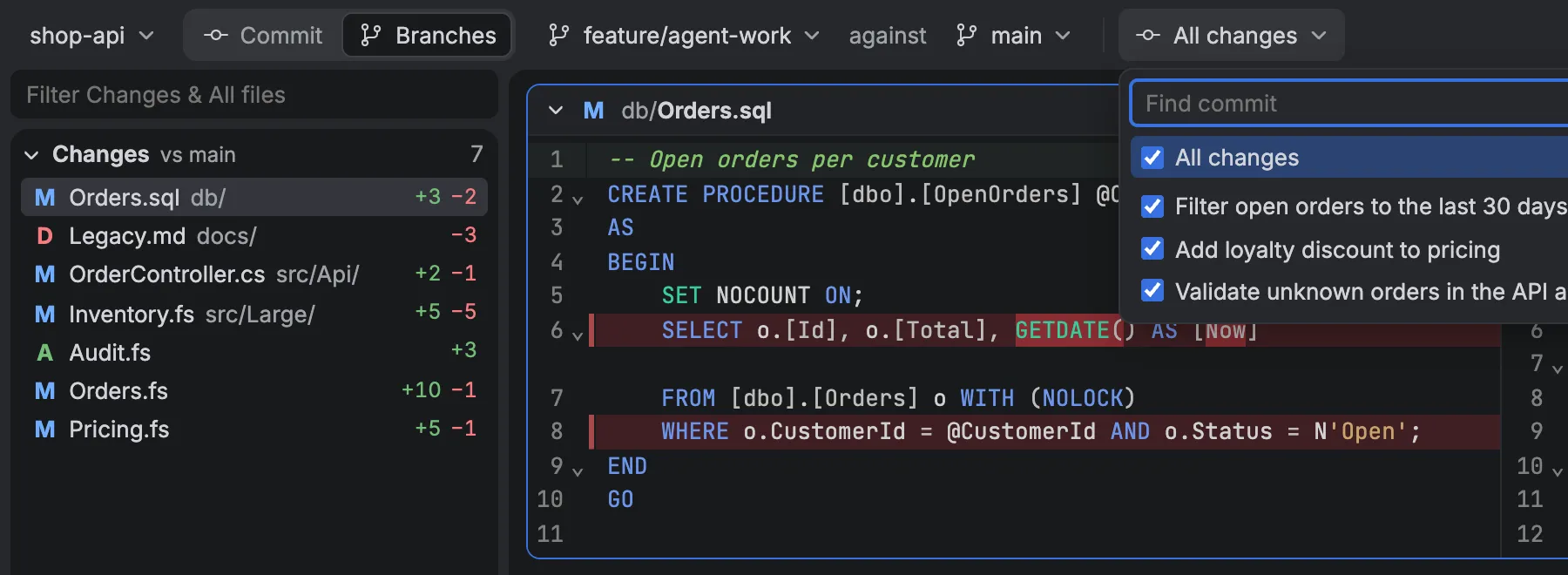
A branch checked out nowhere gets a git worktree of its own, so F# language features work on any branch without ever switching your folder — and fixes go straight into the diff. Narrow it to some of the branch's commits, as in Azure DevOps.

The commit picker, listing the branch's commits with checkboxes

Azure DevOps pull requests

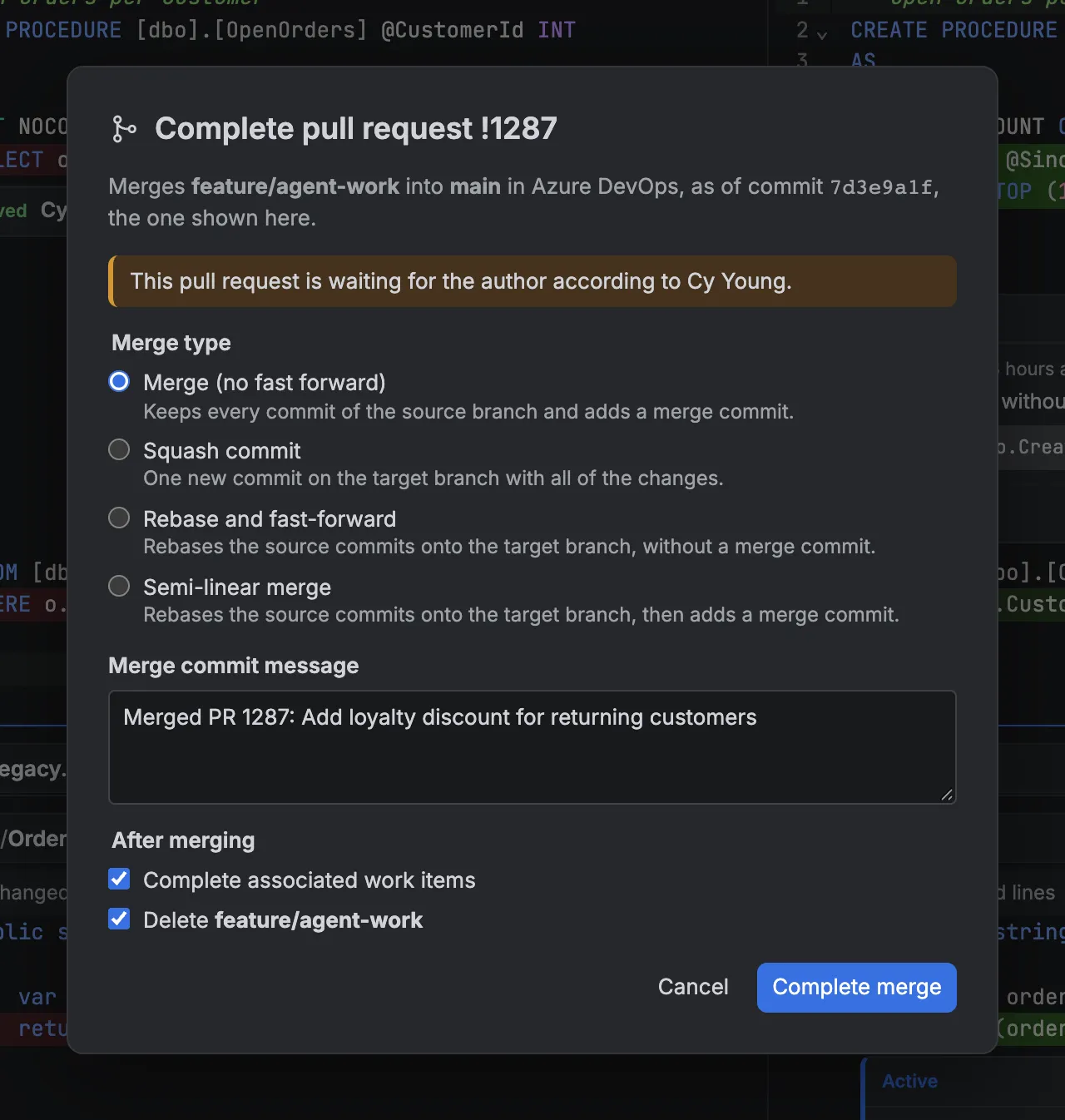
Create, discuss, vote, complete

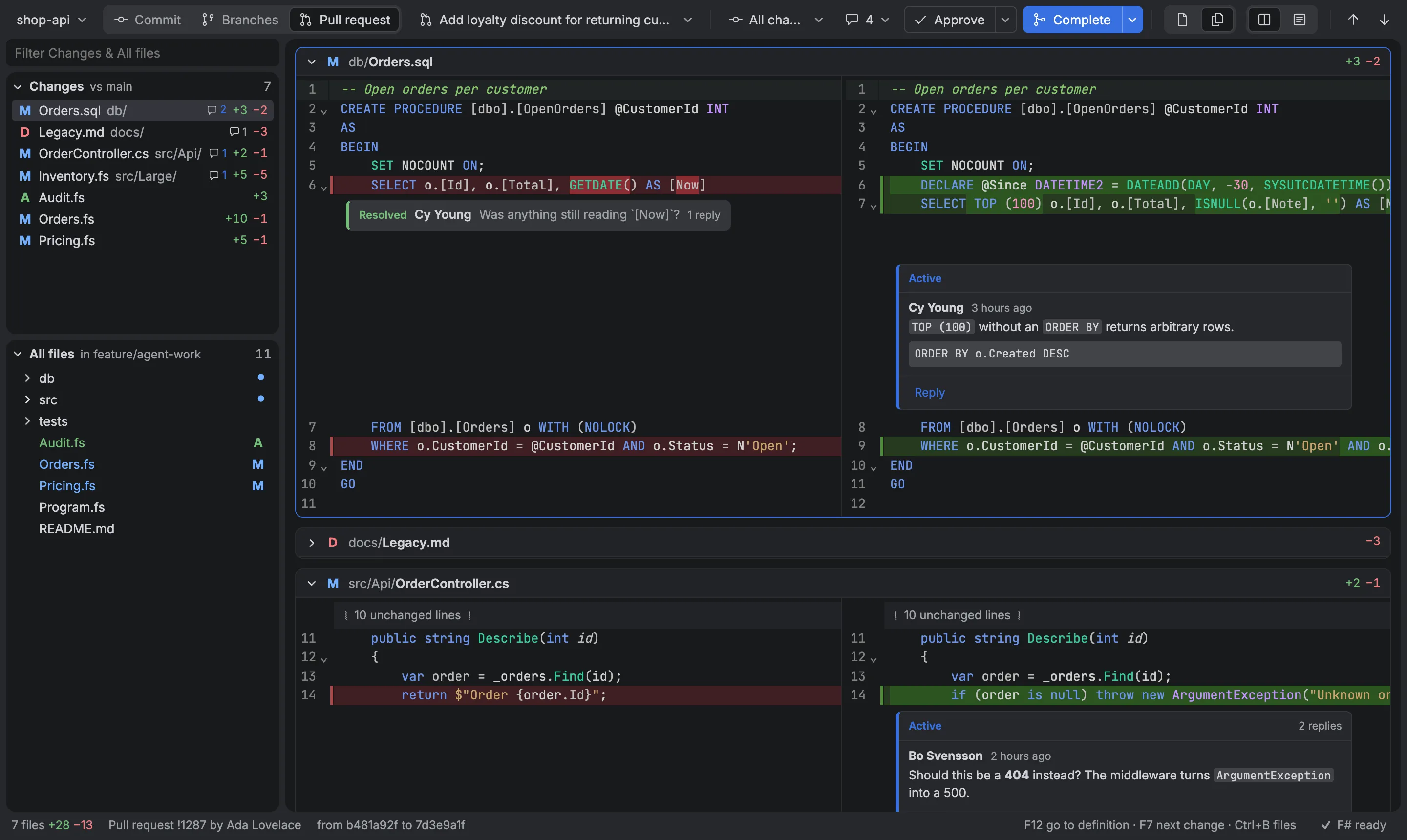
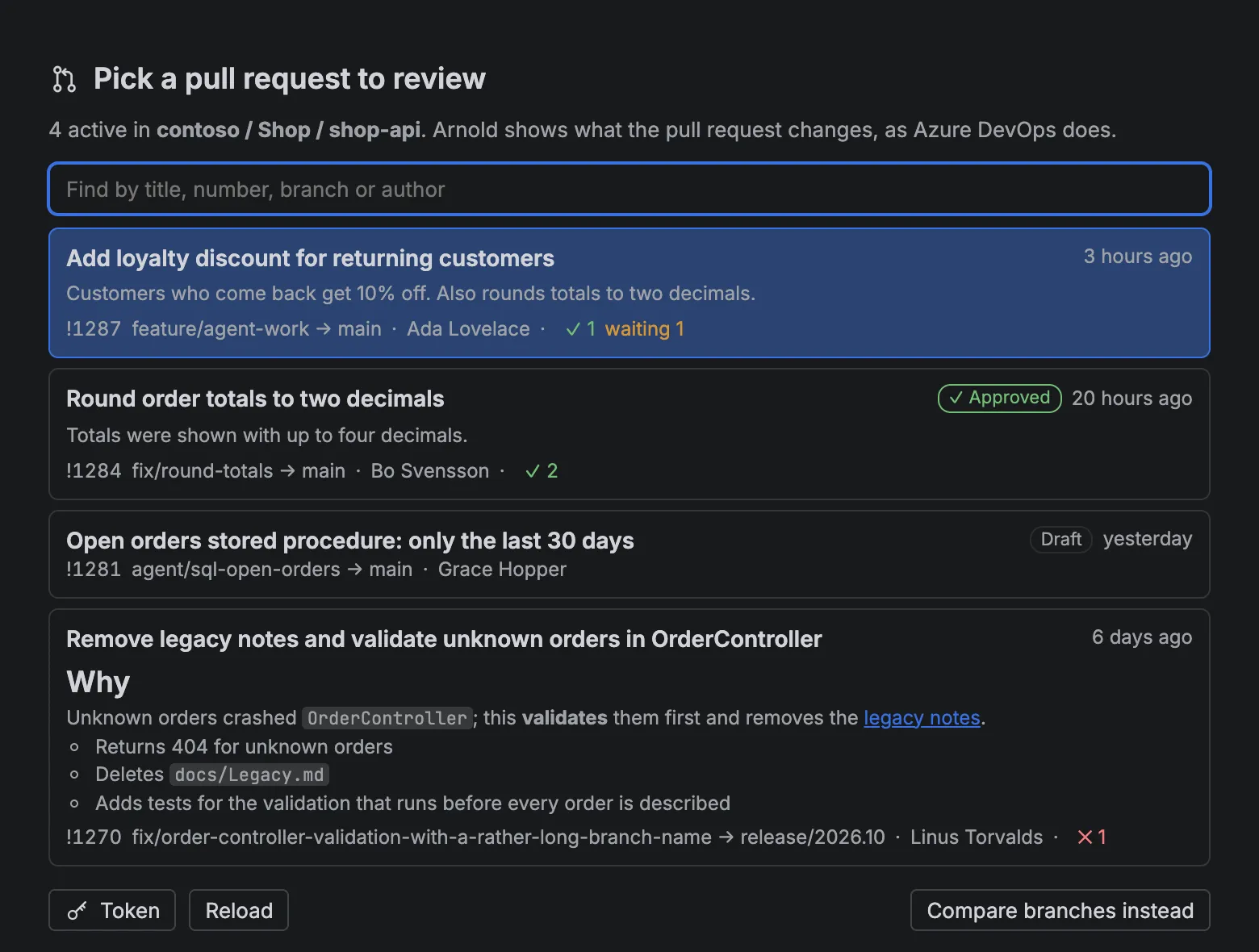
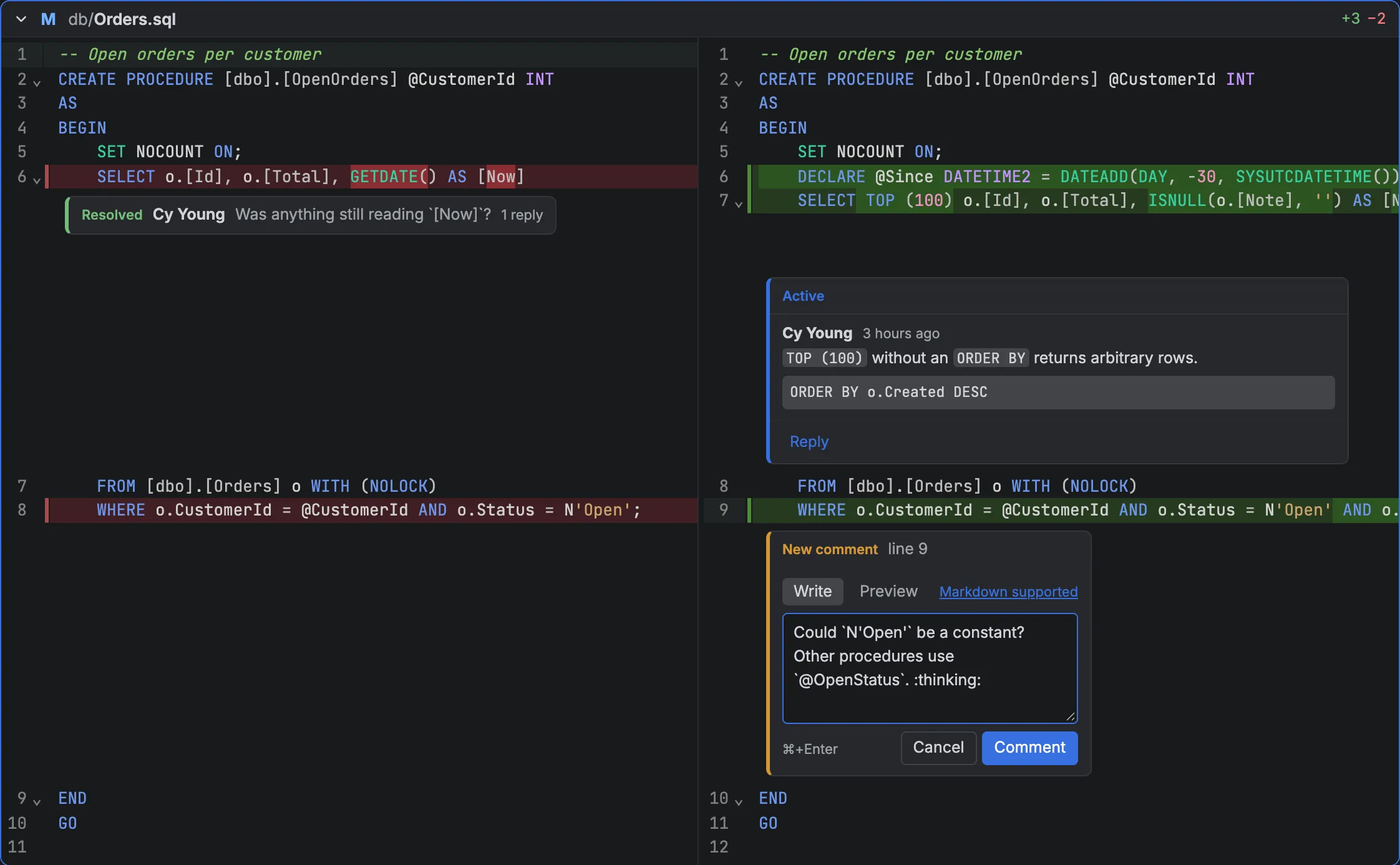
Arnold lists a repository's active pull requests and compares them the way Azure DevOps does. Discussions sit under the lines they are about; right-click a line to comment. To suggest a change, make it: the pull request has its own worktree, so quick fixes and rename work there too, andSuggest posts the edit for the author to apply with a click.

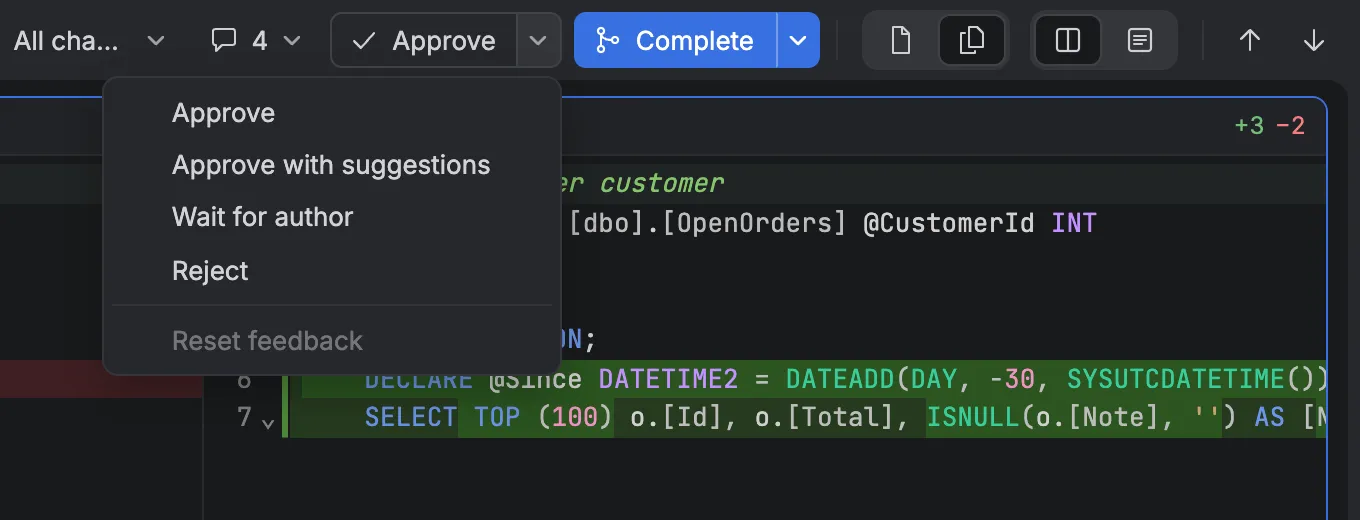
Arnold reviewing an Azure DevOps pull request: the files dock, the side-by-side diff with discussions, and Approve and Complete in the toolbar
The Approve menu: Approve, Approve with suggestions, Wait for author, Reject, Reset feedback

Safe by default

Comparing and reviewing never touch your folder: other branches and pull requests get worktrees of their own. Only Commit mode writes, and only when you ask. Nothing is ever force-pushed.

Looks like Rider

JetBrains Rider's Islands Dark theme, with the toolbar as the title bar, on macOS and Windows.

Keyboard first

F7 next change across files, S/U/R stage, unstage, reset, and the F# keys you know from Rider and Visual Studio.

Updates itself

Arnold checks for a new release when it starts and every hour, downloads it in the background, and offers to restart.

Install

macOS (Apple silicon)

Download the .pkg. The build is not notarized yet: try to open it once, then choose Open Anyway under System Settings → Privacy & Security.

Windows (x64)

Download the installer or the .msi. It is signed by Reaptor AB. While Arnold is new, SmartScreen may still warn: choose More info → Run anyway.

Requirements

git on the PATH, and the .NET SDK 8 or newer for F#. Arnold fetches the language server itself.

~/src/shop $ arnold .
# or the short one
~/src/shop $ ace .

The installers put arnold and ace on the PATH. Started from the Dock or the Start menu, Arnold reopens the last repository.

Status

Arnold is young and changes often: every push to main is a release. It is used mostly on macOS; the Windows build ships alongside it.

Not there yet: a C# language server (C# files are highlighted, not analyzed), a problems list, settings, GitHub pull requests, and in Azure DevOps auto-complete, resolving discussions and adding reviewers.

The name

Arnold is named after Arnold Rimmer, the hologram in Red Dwarf — a git, in British slang, which is where git got its name too. The icon is the H on his forehead, drawn as a git graph, with a removed and an added commit.